A room that handles gaming, film nights, and everything else you throw at it does not happen by accident. Every choice, from where you place your desk to how you manage the lighting, affects how well the space performs across different activities.
Get it wrong, and you end up with glare during movies, poor posture during long gaming sessions, or a layout that forces you to rearrange furniture every time you switch modes.
Get it right, and the same room serves every purpose without compromise.
1. Layout and Zones
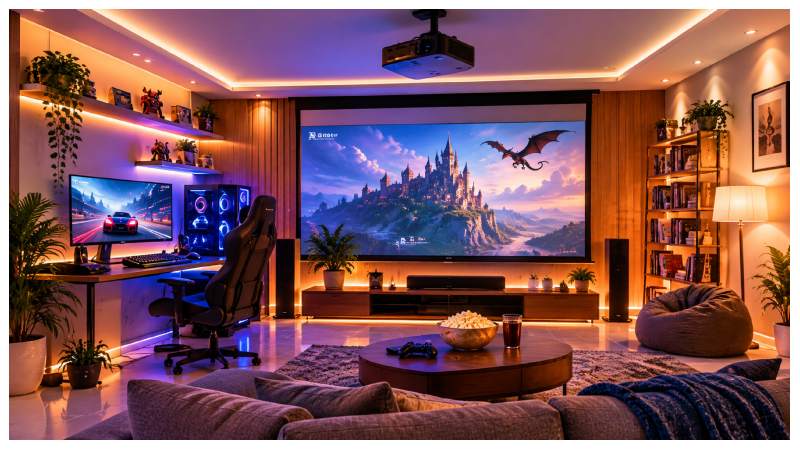
The first step is separating your activities into defined areas without making the room feel divided. Place your desk and gaming chair in one corner, keeping your peripherals, monitor, and accessories within easy reach. On the opposite side or along a different wall, set up your media couch or lounge chairs. These two zones should coexist without interrupting each other visually or physically.
If space allows, position the main television or projector screen so it remains visible from both the desk and the sofa. This removes the need for two separate displays and means you can switch from a focused gaming session to a relaxed film night without changing the room around you. It is a practical compromise that saves money and space at the same time.
Keep the floor between your zones clear. Open paths between your gaming gear and your movie seats make the room feel larger and prevent accidents when moving around in low light. Avoid cables running across walkways; use cable management trays or run cables along the skirting board to keep everything tidy and safe.
2. Audio and Visual Gear
Pick the right display first. A 4K television with a high refresh rate handles both sharp movie detail and smooth gaming performance without needing separate screens for each. Look for a panel with a low input lag rating alongside strong contrast for dark movie scenes. Most modern sets cover both requirements well enough that you do not need to sacrifice one for the other.
For gaming specifically, a reliable and fast connection matters as much as the hardware itself. A wired Ethernet connection to your console or PC removes the latency and dropout issues that wireless setups can introduce. Desktop and PC gaming naturally benefit from being close to your router, but if your setup is across the room, a powerline adapter or a mesh network system keeps the signal strong without running long cables across the floor.
Mobile gaming has grown significantly as a category, and it now covers everything from indie puzzle titles and strategy games to fast-paced action and online casino play. The convenience of picking up a phone and loading a game from your couch is something desktop setups cannot replicate. Online casino gaming in particular has moved heavily toward mobile-first design, and with the advances that platforms like MrQ mobile casino bring, it is easier than ever to access a full casino game library directly from your phone without needing a separate device or dedicated setup. That kind of accessibility means your multi-use room does not need to account for a dedicated casino gaming station; your phone handles it from the sofa.
3. Lighting Control
Outside light is one of the biggest problems in a dual-purpose room. During daytime film watching, sunlight hitting your screen washes out the picture entirely. Heavy blackout curtains solve this immediately and cost far less than trying to compensate with a brighter display. Choose a fabric with a tight weave rather than a thin liner, as proper blackout curtains make a noticeable difference in picture quality during afternoon sessions.
Bias lighting, LED strip lights fixed behind your television or monitor, reduces eye strain when watching in a dark room. The soft glow creates a buffer between the bright screen and the dark wall behind it, which lowers the contrast your eyes need to manage over long periods. Many LED strips are inexpensive and connect via USB, making them easy to install without any permanent changes to the room.
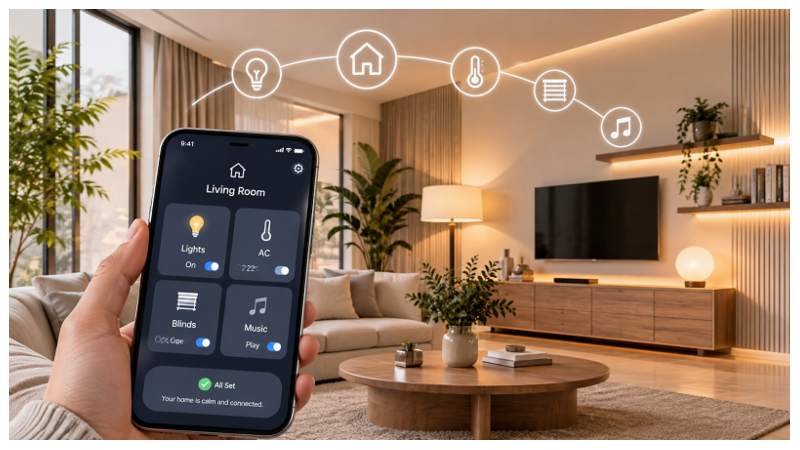
Smart bulbs give you control over the room’s atmosphere without replacing your existing fittings. Set warm, dimmed tones for film nights and switch to cooler, brighter light when you need focus for gaming or work. Most smart bulb systems allow you to save these as presets, so switching between modes takes a single tap on your phone rather than adjusting multiple lamps manually.
4. Seating and Comfort
Seating decisions carry more weight than most people expect. For desk gaming, an ergonomic office chair that supports your lower back and holds a comfortable position over several hours prevents the fatigue that builds up during long sessions. Avoid chairs that look good but offer no lumbar support; discomfort accumulates gradually and affects concentration before you realize it.
For the media side of the room, a sectional sofa with deep cushions gives multiple people room to stretch out properly. Modular pieces let you reconfigure the layout if your room needs change, and they tend to hold their shape better than standard sofas under regular use. Adding a thick rug beneath the seating area does two things at once: it absorbs sound echo that hard floors create and makes the space feel more finished and comfortable underfoot.
Small additions like a footrest, a side table for drinks, and good cushion support at the right height make a long film or extended session noticeably more comfortable. A well-designed room accounts for how people actually sit and move, not just how it looks when empty.